

otel-logs-v0_9 index works for any application that emits OpenTelemetry logs. For everything else (audit trails, third-party log formats, application events with a specialized schema), create an index with the fields and types your data needs.
Open Settings → Indexes → Create index. When you save, Rootprint creates the index in Quickwit and opens its detail page, where you map its fields into the search UI. The same form is available over the API as POST /api/indexes; see the Index management API.
Index ID
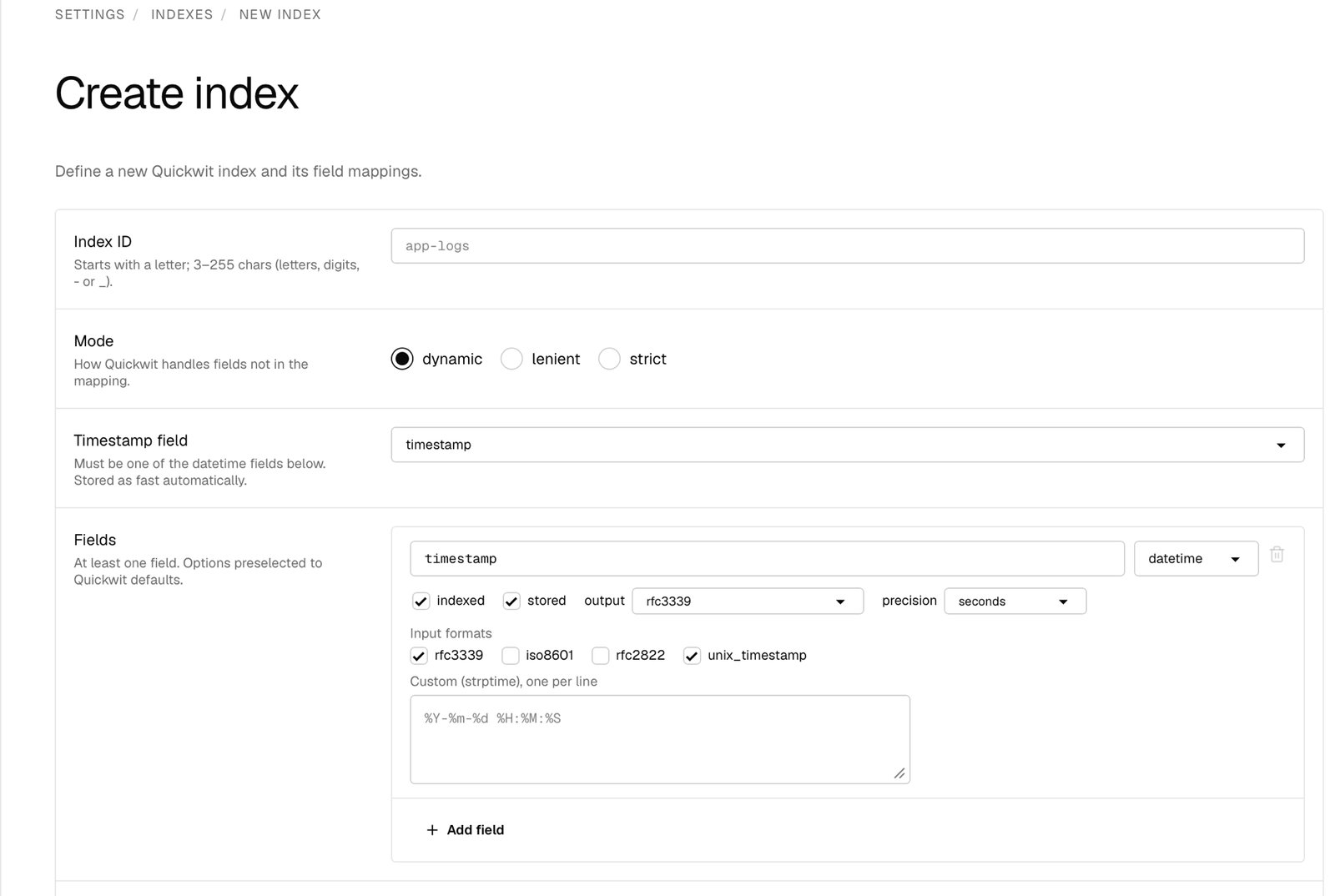
-, or _. Ingest requests never name it. The ingest API key you scope to this index is what routes writes here.
Mode
The schema mode decides what Quickwit does with fields you didn’t declare in the field mappings.Timestamp field
Pick thedatetime field the index uses as its time axis. You must define at least one datetime field before you can pick one here. Time-range searches and retention both use this field. The timestamp field is always fast, so the field editor hides its fast toggle.
Fields
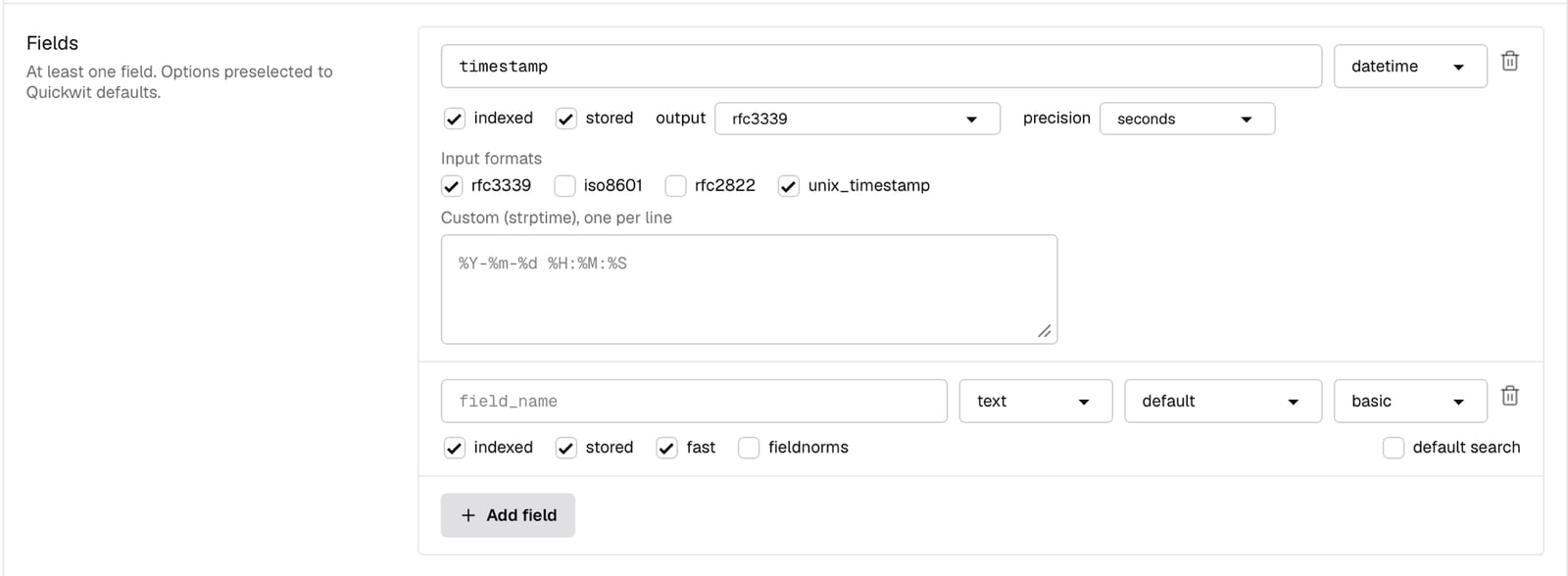
indexed, stored, and fast on.
Field types
text (searchable strings), i64 and u64 (signed and unsigned integers), f64 (floating point), datetime, bool, ip (IPv4 or IPv6 addresses), and json (free-form key-value objects).
Indexed, stored, and fast
Every field exposes three toggles:- Indexed: the field is added to an inverted index, which term, phrase, and full-text queries need. Range queries read the fast column instead, so a numeric field with Fast on still supports
duration_ms:>500when Indexed is off. - Stored: the field’s value is kept and returned in search results.
- Fast: the field is kept in column-oriented storage, enabling efficient range queries, aggregations, and sorting.
Per-type options
Depending on the field type, the editor exposes extra options:
Record sets how much term data the inverted index keeps:
basic (which documents contain the term), freq (also term frequency), or position (also token positions, required for phrase queries).
text and json fields also have a default search checkbox. Tick it to search the field when a query doesn’t name one, so timeout matches message:timeout without the user typing the field.
Tokenizers
text and json fields take a tokenizer, which decides how the value is split for search. Tokenization happens at index time and cannot be changed without recreating the index.
For most application logs, follow the bundled index:
raw for severity_text and service_name, and default for body.
Retention
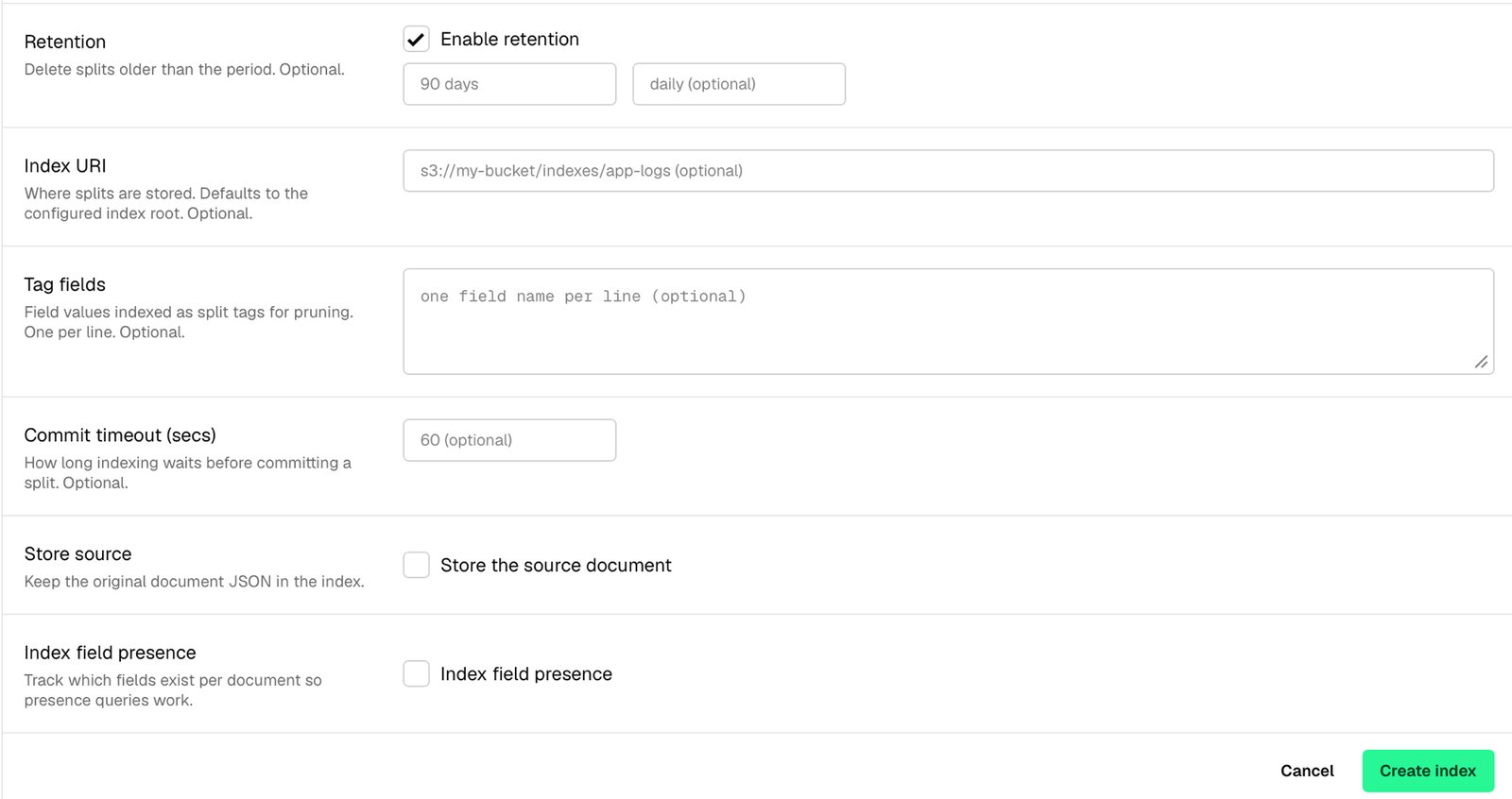
Enable retention to drop splits older than a fixed window. Period accepts durations like48 hours, 90 days, 12 months, or 2 years. Schedule sets how often the cleanup runs (hourly, daily, weekly, monthly, yearly, or a cron expression) and defaults to daily when left blank.
Retention deletes whole splits, so a document can outlive the period by hours.
Other settings
Use it from Rootprint
Saving the form lands you on the new index’s detail page. To finish wiring it up:- On the Configuration tab, set the field-role mappings so the message, log level, and traceback render correctly.
- Create an ingest API key scoped to the index and route writes through the HTTP endpoint. Don’t send OTLP to a custom-schema index: Quickwit answers
200and discards the logs. See Index target.
Related
- Manage indexes: the index list, field-role mapping, fields, sources, and deletion.
- Indexes: the bundled
otel-logs-v0_9schema. - Search query syntax: what users can query against your fields.
- Quickwit index configuration reference: the full upstream schema.